A little space
for your everyday.
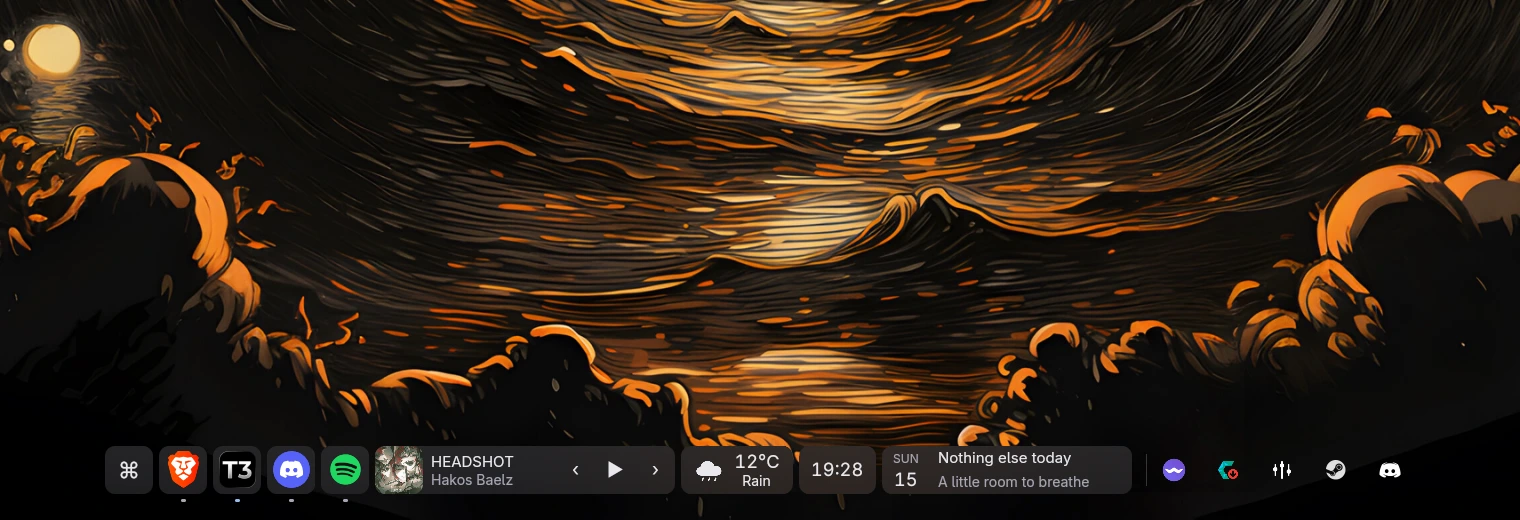
Your apps, system tray, and favorite widgets.
Together in a dock that feels at home.
Public downloads are not available yet.
Start here
How to install
Still taking shape.
Here’s what’s available today.
Linux KDE Wayland
Source access requiredNo public installer or release download is available. The source repository is currently private.
Already have the source? Build locally
From your existing jiki checkout, build and launch:
sh tools/build.sh
sh tools/run.sh
The build produces build/jiki and build/native/jiki-kde-bridge. Both binaries and their shared libraries are required. This is a development build, not a standalone package.
Before you build
Use a KDE Wayland session with the existing pinned Rust 1.99.0 toolchain, Python 3, C++20, CMake 3.28+, Ninja, pkg-config, patch, and GPUI Kit’s Linux development libraries.
The helper requires Qt 6.8+ (Core, Gui, Qml, Quick, Network, DBus), LibTaskManager, KF6WindowSystem, KPipeWire, KF6Service, KF6GlobalAccel, and KF6KIO. Follow the README in your checkout for dependency details.
Login startup and launcher shortcuts are opt-in in the app’s settings. Panel-free KDE sessions also need a separate desktop notification provider.
Windows & macOS
Desktop integration is not implemented. No supported builds are available.
Less reaching.
More doing.
- 01Your apps, within reach.
- Pin your regulars, group open windows, and drag to reorder. Peek at a window before switching to it.
- 02A place for the little things.
- Clock, weather, Spotify controls, launcher, and calendar. Arrange your widgets alongside the system tray.
- 03At home on your desktop.
- Choose your display, colors, and frost. Wrap into rows or tuck the dock away with auto-hide. Reduced motion is respected.
Find it.
Open it.
Carry on.
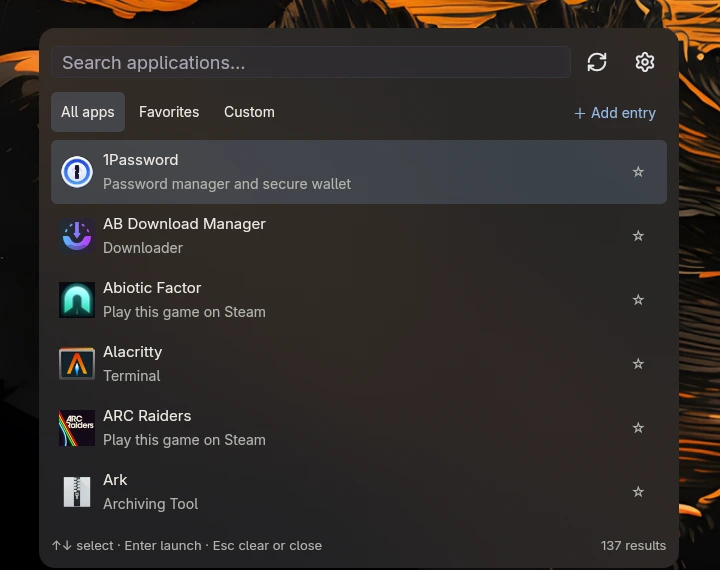
Search installed apps, keep favorites close, or add a custom launcher. One small home for the things you open all day.
Built with Rust & GPUI Kit.
Native Qt/KDE desktop integration.